
Best Laptop Stands (2026): 6 Reliable Picks for Better Posture
Six laptop stands compared by size support, stability and portability, from a 0.6 lb travel riser to a dual-rod stand for heavy laptops.
We earn a commission if you buy through our links, at no extra cost to you. As an Amazon Associate, we earn from qualifying purchases. How we make money.

The best laptop stands lift your screen closer to eye level so you stop hunching over your desk for hours. They are one of the cheapest upgrades you can make to a home office, and most fold flat enough to carry in a laptop bag.
Most stands look alike in photos, but they differ in stability, load capacity, size support and how far they fold. We compared specs, listings and owner feedback to pick six that cover different needs, from a lightweight travel riser to a rotating stand for sharing your screen.
The best laptop stand for most people is the Lamicall Aluminum Laptop Stand because its larger, heavier base keeps it steady and it fits laptops from 10 to 17.3 inches. If you want the lowest price and lightest weight, get the Leeboom Laptop Stand. For heavy laptops, the dual-rod Nulaxy is the sturdiest pick.
Best Laptop Stands at a Glance

- Fits 10 to 17.3-inch laptops
- Larger, heavier base for stability
- Adjustable height and angle

- 7 height settings
- Weighs only 0.6 lbs
- Storage bag included

- Dual-support rod design
- Supports up to 22 lbs
- Folds completely flat
| Product | Price | ||
|---|---|---|---|
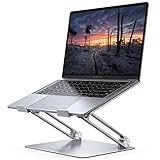 | Best Overall Lamicall Aluminum | $29.99 | Check Price |
 | Best Budget Leeboom | $9.98 | Check Price |
 | Most Stable Nulaxy Dual Foldable | $15.19 | Check Price |
 | Best Height Range Amazon Basics | $29.99Price as of Nov 3, 2026 2:18 pm EST ⓘ | Check Price |
 | Best Rotating LOXP 360 Rotating | $27.99 | Check Price |
 | Best Value Aluminum JOIOT Aluminum | $21.45 | Check Price |
1. Lamicall Aluminum Laptop Stand: Best Overall
Lamicall Aluminum Laptop Stand
A steady, foldable stand with the widest size support here
- Fits: 10 to 17.3-inch laptops
- Material: Aluminum alloy
- Base: Larger, heavier base
- Adjustment: Height and angle
- Extras: Ventilation holes, anti-skid silicone
Pros
- Supports the largest laptops in this guide
- Heavier base resists wobble and sliding
- Folds for travel
Cons
- No load rating listed
- Heavier base means a bit more to carry
The Lamicall earns the top spot among the best laptop stands because it focuses on the thing that matters most: staying put while you type. Lamicall upgraded it with a larger, heavier aluminum base, and the listing says it will not shake, slide or fall during typing.
It fits laptops from 10 inches all the way up to 17.3 inches, which covers everything from a small MacBook Air to large gaming laptops. You can adjust both height and angle, and the multiple ventilation holes help airflow under the laptop. Anti-skid silicone and smooth edges protect your laptop from sliding and scratches.
The listing does not state a maximum weight, so if you run a very heavy workstation laptop, the Nulaxy’s 22 lb rating gives more peace of mind. Otherwise this is the adjustable laptop stand we would buy for most desks, and the easiest of the best laptop stands to recommend without caveats.
2. Leeboom Laptop Stand: Best Budget
Leeboom Laptop Stand
An ultralight aluminum riser that goes anywhere
- Fits: 10 to 15.6-inch laptops
- Weight: 0.6 lbs
- Heights: 7 settings
- Material: Aluminum
- Extras: Storage bag, 10 rubber pads
Pros
- Lightest stand in this guide
- Also holds tablets, phones and books
- Storage bag for travel
Cons
- Tops out at 15.6-inch laptops
- Light frame is less planted than heavier stands
The Leeboom is the stand to grab if you want something cheap and light. It weighs only 0.6 lbs, comes with a storage bag and offers seven height settings, so it is easy to toss into a backpack for the library or a coffee shop.
It supports most 10 to 15.6-inch laptops and also holds phones, tablets, Kindles and books from 6 to 12.9 inches. Ten non-slip rubber pads keep your device from scratching or sliding, and Leeboom claims the frame can hold up to 88 lbs on top. The aluminum body works as a heat sink, and an open design underneath improves airflow.
Skip it if your laptop is larger than 15.6 inches. A very light laptop riser also tends to shift more on a desk than a heavy-based one, so if you type hard on the built-in keyboard, the Lamicall will feel more solid.
3. Nulaxy Dual Foldable Stand: Best for Heavy Laptops
Nulaxy Dual Foldable Laptop Stand
A dual-rod stand built to stop wobble
- Fits: 10 to 16-inch laptops
- Capacity: Up to 22 lbs (10kg)
- Design: Dual-support rods
- Cooling: Geometric heat-vent panel
- Folding: Collapses completely flat
Pros
- 22 lb stated load capacity
- Dual rods spread weight evenly
- Folds flat in seconds
Cons
- Not for 17-inch laptops
- Bulkier mechanism than single-hinge stands
Nulaxy built this stand around a dual-support rod mechanism instead of a single hinge, which makes it the steadiest of the best laptop stands for heavy machines. The idea is to spread weight evenly and keep the laptop steady while you type, and Nulaxy rates it for devices up to 22 lbs (10kg). That makes it a good match for heavier gaming laptops and 16-inch workstations.
The upper panel uses a geometric heat-vent design for airflow, and anti-slip silicone pads grip the laptop. It is an adjustable laptop stand that also collapses completely flat, so it slides into a backpack or briefcase for trips.
It fits 10 to 16-inch laptops, so 17-inch owners should look at the Lamicall instead. If you only use a light 13-inch ultrabook, you may not need this much support.
4. Amazon Basics Laptop Stand: Best Height Range

Amazon Basics Laptop Stand
A simple aluminum stand with up to 7 inches of lift
- Fits: Laptops up to 15.6 inches
- Height: Up to 7 inches of adjustment
- Capacity: 11 lbs (5 kg)
- Weight: 1.7 lbs
- Folded size: 10 x 8.7 x 1.8 in
Pros
- Clear specs for height and folded size
- Rust-resistant aluminum
- Protective hooks hold the laptop in place
Cons
- Lower load rating than Nulaxy
- Not for laptops over 15.6 inches
The Amazon Basics adjustable laptop stand is refreshingly clear about what you get. It offers up to 7 inches of height adjustment, a load capacity of 11 lbs (5 kg) and a folded size of 10 by 8.7 by 1.8 inches. It weighs 1.7 lbs and is made from lightweight, rust-resistant aluminum.
Non-slip silicone pads and protective hooks hold your laptop, and the open hollow design promotes airflow. It supports laptops and tablets from 10 to 15.6 inches, including MacBook, Surface Laptop and Dell XPS models.
Amazon notes that larger or heavier devices may affect balance and recommends a flat, solid surface. If you push hard on the keyboard or own a bigger laptop, the Nulaxy or Lamicall is the safer bet.
5. LOXP 360 Rotating Stand: Best for Sharing Your Screen

LOXP 360 Rotating Laptop Stand
A foldable stand on a swiveling base
- Fits: 10 to 16-inch laptops
- Base: 360-degree rotating
- Material: One-piece fiber metal
- Adjustment: Height and angle
- Use: Sitting or standing
Pros
- Rotate to show your screen to others
- Adjustable for sitting or standing
- Non-slip silicone
Cons
- Only supports laptops up to 16 inches
- No load rating listed
The LOXP adds one feature none of the other picks have: a 360-degree rotating base. Swivel the laptop toward a coworker, a client or a student across the table without lifting it. LOXP says the one-piece fiber metal construction is more durable and stable than ordinary aluminum stands.
You can freely adjust height and angle to keep the screen at eye level, and the listing says there is a comfortable angle whether you sit or stand. It folds for travel and fits laptops from 10 to 16 inches.
If you never share your screen, the rotation is an extra moving part you do not need. The Lamicall or Nulaxy will give you a simpler, steadier base.
6. JOIOT Aluminum Stand: Best Value Aluminum Stand

JOIOT Adjustable Aluminum Laptop Stand
A thick aluminum riser with free height adjustment
- Fits: 11 to 16-inch laptops
- Material: Thickened aluminum alloy
- Adjustment: Free height and angle
- Cooling: Hollow vent design
- Extras: Anti-slip silicone pad
Pros
- Thickened aluminum for less wobble
- Fully foldable
- Also holds tablets, menus and music books
Cons
- Minimum size is 11 inches
- No load rating listed
The JOIOT is a solid middle ground. It uses thickened aluminum alloy to feel sturdier and less wobbly than thin budget stands, and the hollow vent design helps keep your laptop cool. You can freely adjust the angle to bring the screen up to eye level.
It fits laptops from 11 to 16 inches and folds fully for travel. JOIOT also suggests using it for tablets, menus, music books and magazines, so it can double as a recipe stand in the kitchen.
It does not list a weight limit, and it starts at 11 inches, so very small 10-inch devices are better served by the Leeboom or Lamicall.

How to Choose the Best Laptop Stands for Your Desk
The best laptop stands share a few traits: they match your laptop size, stay stable while you work and fit how often you move. Here is what to check.
Laptop size support
Most stands here support 10 to 15.6 or 16-inch laptops. Only the Lamicall goes up to 17.3 inches. Check your exact screen size before ordering, especially for larger gaming laptops.
Stability and load capacity
Heavier bases and dual-rod designs wobble less. Where brands list a load rating, compare it with your laptop’s weight and leave some margin. The Nulaxy lists 22 lbs and the Amazon Basics lists 11 lbs.
Height range
A good adjustable laptop stand should bring the top of your screen near eye level. Taller people need more lift. The Amazon Basics stand lists up to 7 inches of height adjustment, and the Leeboom offers seven preset heights.
Portability
If you work from cafes or travel, look at folded size and weight. The Leeboom weighs 0.6 lbs, and the Amazon Basics folds to 10 by 8.7 by 1.8 inches. Heavier bases trade portability for stability.
Cooling
Most picks here use vents or an open design to improve airflow. Raising the laptop off the desk helps more than the vent pattern itself, so do not pay extra just for cooling claims.

How to Set Up a Laptop Stand Properly
Even the best laptop stands will not help much if your setup is off. Follow these basics, and check the workstation guidance on the OSHA website for more detail.
- Screen height: raise the laptop until the top of the screen is at or slightly below eye level.
- Distance: keep the screen about an arm’s length away.
- Keyboard and mouse: use external ones at elbow height. Our guides to the best wireless mechanical keyboards and best ergonomic mice can help.
- Cables: a compact hub keeps chargers and drives tidy. See our picks for the best USB-C hubs for MacBook.
- Second screen: if you use an external monitor, line its top edge up with your raised laptop screen.
A laptop riser works best as part of a full setup. Spend a few minutes adjusting height and angle on the first day, then leave it alone.
Common Mistakes When Buying a Laptop Stand
Most complaints about stands come down to a mismatch between the stand and the setup, not a bad product. Avoid these and any of the best laptop stands in this guide should serve you well.
- Ignoring the size range: a 17-inch laptop on a stand rated for 15.6 inches can tip or overhang. Match the listed range to your laptop.
- Choosing the lightest option for a desk: an ultralight laptop riser is great in a bag, but a heavier base feels steadier on a desk you use every day.
- Setting it once and forgetting it: an adjustable laptop stand only helps if you adjust it. Raise it until the screen top is near eye level, then fine-tune the angle.
- Skipping the external keyboard: typing on a raised laptop pushes your wrists up. Budget for a keyboard and mouse along with the stand.

Which Type of Laptop Stand Fits Your Routine?
Most of the best laptop stands in this guide fall into three groups. Picking the group first makes the final choice much easier.
Folding aluminum stands
The Lamicall, Leeboom, Amazon Basics and JOIOT fold down flat enough to slide into a laptop bag. An adjustable laptop stand like these suits people who move between home, the office and a library table. The tradeoff is that lighter frames can flex a little if you type hard on the raised laptop itself.
Dual-rod stands
The Nulaxy uses two support rods instead of one, which spreads the weight and cuts down on bounce. It is the better laptop riser for heavier machines, but the folding mechanism is bulkier, so it takes up a bit more room in a bag.
Rotating-base stands
The LOXP adds a 360-degree base, so you can swivel the screen toward a colleague or customer without lifting the laptop. That is handy at a front desk, a shared table or a client meeting. If your laptop always sits in one spot facing you, the rotating base is a feature you will rarely use.
A simple rule: buy for the way you work most days, not for the occasional trip or meeting.
Frequently Asked Questions
What are the best laptop stands for MacBook?
The Lamicall, Nulaxy, JOIOT, Amazon Basics and LOXP all list MacBook compatibility. For a 13 or 15-inch MacBook Air, the Lamicall is our top pick. If you are still choosing the laptop itself, see our guide to the best MacBook Air for students.
Do laptop stands help with neck pain?
Raising your screen to eye level can reduce the urge to look down, which many people find more comfortable. A stand is not a medical treatment, so see a professional if pain continues.
Can I type on a laptop on a stand?
You can, but the raised angle is less comfortable for long typing. Pair your laptop riser with an external keyboard and mouse for the best results.
Are aluminum laptop stands better than plastic?
Aluminum stands, like most picks here, tend to feel sturdier and help draw heat away from the laptop. Every aluminum pick in this guide also folds for travel.
The bottom line
Of the best laptop stands we compared, the Lamicall Aluminum Laptop Stand is the one we would buy for most desks, thanks to its heavier base and 10 to 17.3-inch support. Choose the Leeboom for travel on a budget, and the Nulaxy if your laptop is heavy and you want the steadiest platform.
Check Lamicall Laptop Stand price

