
Best iPads (2026): 4 Smart Picks for School, Work and Play
Apple’s iPad lineup comes down to three tiers. Here is which iPad, iPad Air or iPad Pro fits your budget, from streaming and notes to pro creative work.
We earn a commission if you buy through our links, at no extra cost to you. As an Amazon Associate, we earn from qualifying purchases. How we make money.

The best iPads in 2026 fall into three clear tiers: the 11-inch iPad with the A16 chip, the iPad Air with M4 and the iPad Pro with M5. They all run iPadOS and share an 11-inch size option, but the chip, display, wireless and storage options change a lot as you move up.
Most people overspend on a tablet they mainly use for streaming, notes and browsing. Others buy the cheapest model and outgrow it in a year. We compared Apple’s listings, specs and owner feedback to sort out which iPad fits which kind of user, and where the upgrades are actually worth it.
The best iPad for most people is the iPad Air 11-inch (M4) because it adds the M4 chip, Apple Intelligence and Wi-Fi 7 over the base model without the Pro’s premium. If you mostly stream, read and take notes, get the iPad 11-inch (A16). If you want the best display Apple makes, get the iPad Pro 11-inch (M5).
Best iPads at a Glance
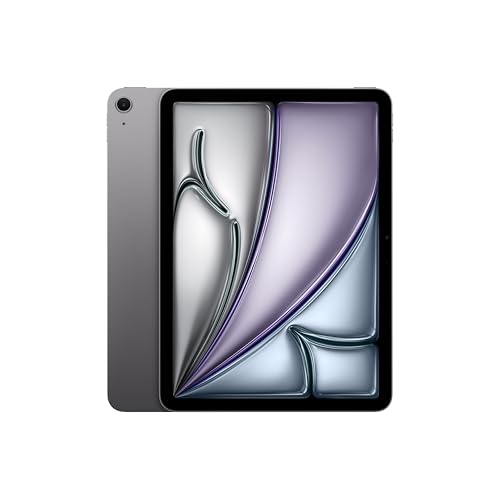
- M4 chip with Apple Intelligence
- Wi-Fi 7 with Apple N1
- P3 wide color and ultralow reflectivity

- A16 chip and Liquid Retina display
- USB-C and Touch ID
- Four colors

- Ultra Retina XDR with ProMotion
- LiDAR Scanner and Face ID
- Up to 2TB storage options
| Product | Price | ||
|---|---|---|---|
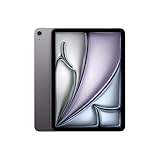 | Best Overall iPad Air 11-inch (M4) | $649.99 | Check Price |
 | Best Budget iPad 11-inch 128GB | $399.99 | Check Price |
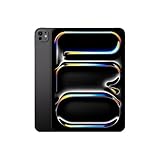 | Premium Pick iPad Pro 11-inch (M5) | $1,099.99 | Check Price |
| Best for Storage iPad 11-inch 256GB | $499.99 | Check Price |
1. iPad Air 11-inch (M4): Best for Most People
iPad Air 11-inch (M4)
The sweet spot between price and power
- Chip: Apple M4
- Display: 11-inch Liquid Retina, P3, True Tone
- Storage: 128GB (up to 1TB available)
- Wireless: Wi-Fi 7 with Apple N1
- Security: Touch ID
Pros
- M4 chip handles multitasking and AI tasks
- Apple Intelligence support
- Ultralow reflectivity display
Cons
- 128GB base storage fills quickly
- No Face ID or ProMotion
The iPad Air is the model we would recommend to most buyers, and it tops our list of the best iPads for one simple reason: it gets the balance right. Apple’s M4 chip brings advanced graphics and the performance for smooth multitasking and complex AI tasks, according to the listing, and Apple Intelligence is built in. That makes it a much more future-proof choice than the base iPad for only a moderate step up.
The 11-inch Liquid Retina display adds P3 wide color, True Tone and ultralow reflectivity, which helps when you are working near a window or under bright classroom lights. Wi-Fi 7 with Apple’s N1 chip, Touch ID and 12MP front and back cameras round it out. iPadOS’s flexible windowing system also makes it a capable iPad for work when you pair it with a keyboard.
The catch is storage. This listing is the 128GB version, and if you download lots of video, games or large project files, it fills faster than you expect. Apple offers up to 1TB on the Air, so size up if you know you are a heavy user. If you want the smoothest display, Face ID or LiDAR, those are Pro features.
2. iPad 11-inch (A16) 128GB: Best Budget iPad
iPad 11-inch (A16) 128GB
The everyday iPad that does the basics very well
- Chip: Apple A16
- Display: 11-inch Liquid Retina, True Tone
- Storage: 128GB
- Wireless: Wi-Fi 6
- Security: Touch ID
Pros
- Most affordable way into iPadOS
- USB-C and all-day battery life
- Four colors to choose from
Cons
- Wi-Fi 6 rather than Wi-Fi 7
- Listing does not mention Apple Intelligence
The standard iPad is the one to get if your tablet is mostly for streaming, reading, video calls, homework and casual games. The A16 chip gives it a solid boost for everyday apps, and the listing promises all-day battery life for watching shows and editing photos. It also has a USB-C connector, Touch ID and 12MP front and back cameras.
It works with Apple Pencil for handwriting with Scribble, which turns your writing into text in any field. That alone makes it a popular iPad for students who take handwritten notes. True Tone adjusts the display to the light in the room, which is easier on your eyes during long reading sessions.
Skip it if you want Apple Intelligence (the listing does not mention it, unlike the Air and Pro) or if you plan to use heavy creative apps. You also get Wi-Fi 6 instead of Wi-Fi 7, which matters less than it sounds unless you already have a Wi-Fi 7 router. It comes in Blue, Silver, Pink and Yellow.
3. iPad Pro 11-inch (M5): Best Premium iPad
iPad Pro 11-inch (M5)
Apple's best display and fastest chip in a tablet
- Chip: Apple M5 with Neural Accelerators
- Display: 11-inch Ultra Retina XDR, ProMotion
- Storage: 256GB (up to 2TB available)
- Wireless: Wi-Fi 7 with Apple N1
- Security: Face ID
Pros
- Ultra Retina XDR with ProMotion and P3
- LiDAR Scanner and landscape front camera
- 256GB base storage
Cons
- By far the most expensive option here
- Overkill for streaming and notes
The iPad Pro is the most powerful of the best iPads here, but it is for people who will actually use what it offers. The M5 chip adds Neural Accelerators for on-device AI, and the 11-inch Ultra Retina XDR display combines extreme brightness, precise contrast, ProMotion, P3 wide color and True Tone. If you edit photos, draw, color-grade video or watch a lot of HDR content, that screen is the headline feature.
It also adds a LiDAR Scanner, Face ID and a landscape 12MP front camera, a nice touch if you take video calls with the iPad docked sideways. Storage starts at 256GB in this listing and goes up to 2TB, with nano-texture display glass available on the 1TB and 2TB configurations. iPadOS 26 brings the Liquid Glass design and a flexible windowing system, which makes this the most capable iPad for work in the lineup.
Who should skip it? Anyone whose day is email, browsing and streaming. The Air covers those tasks with a lot of money left over for a keyboard, a case and a good pair of earbuds.
4. iPad 11-inch (A16) 256GB: Best for Storage on a Budget
iPad 11-inch (A16) 256GB
Same base iPad with double the storage
- Chip: Apple A16
- Display: 11-inch Liquid Retina, True Tone
- Storage: 256GB
- Wireless: Wi-Fi 6
- Security: Touch ID
Pros
- Twice the storage of the base model
- Same A16 chip and display
- Room for offline video and games
Cons
- Price gets close to the iPad Air
- Same Wi-Fi 6 and chip as the 128GB model
This is the same iPad as our budget pick, with 256GB instead of 128GB. That extra space is useful for families who load up on offline movies for road trips, kids who install lots of games, or anyone who keeps a big photo library on the device.
Check prices before you buy, though. The gap between the 256GB base iPad and the 128GB iPad Air is smaller than you might think, and the Air’s M4 chip, Apple Intelligence and Wi-Fi 7 are worth more to most people than extra storage. If you rely on cloud storage, the Air is usually the better deal.
How to Choose the Right iPad
Apple’s lineup is easier to shop than it looks. The best iPads for you depend far more on how you use the tablet than on raw specs, so start there, then check these six areas.
Chip: A16, M4 or M5
The A16 in the base iPad is plenty for streaming, reading, browsing and schoolwork. The M4 in the Air adds stronger graphics and the headroom for AI features and heavier multitasking. The M5 in the Pro is for demanding creative and pro apps. Buy for the next three to four years, not just today.
Display quality
All three have sharp 11-inch screens with True Tone. The Air adds P3 wide color and ultralow reflectivity. The Pro’s Ultra Retina XDR adds extreme brightness, precise contrast and ProMotion, which makes scrolling and drawing look smoother. Artists and HDR video fans notice the difference most.
Storage
128GB is fine if you stream most of your media and keep files in the cloud. Choose 256GB or more for offline video, big games, large photo libraries or pro apps. The base iPad goes up to 512GB, the Air up to 1TB and the Pro up to 2TB.
Wi-Fi 6 vs Wi-Fi 7
The base iPad has Wi-Fi 6, while the Air and Pro have Wi-Fi 7 with Apple’s N1 chip. You only get the full benefit with a Wi-Fi 7 router. Our explainer on Wi-Fi 6 vs Wi-Fi 6E vs Wi-Fi 7 covers what changes in real homes.
Touch ID or Face ID
The iPad and iPad Air use Touch ID, and the iPad Pro uses Face ID. Both handle sign-in and approve purchases. Neither is a reason on its own to pick one tier over another, so let the chip and display drive your choice.
Apple Intelligence
The Air and Pro listings both highlight Apple Intelligence for writing, communication and getting things done. The base iPad listing does not mention it. If AI writing tools matter to you, that alone is a good reason to choose the Air. You can compare full feature lists on Apple’s website.
iPad vs iPad Air vs iPad Pro: Which of the Best iPads Is Right for You?
Here is how the three tiers compare on the features that matter, based on the Amazon listings. Every model in our list of the best iPads has an 11-inch screen option, 12MP front and back cameras and all-day battery life, so those are not shown.
| Feature | iPad (A16) | iPad Air (M4) | iPad Pro (M5) |
|---|---|---|---|
| Display | Liquid Retina, True Tone | Liquid Retina, P3, ultralow reflectivity | Ultra Retina XDR, ProMotion, P3 |
| Wireless | Wi-Fi 6 | Wi-Fi 7 with N1 | Wi-Fi 7 with N1 |
| Biometrics | Touch ID | Touch ID | Face ID |
| Max storage | 512GB | 1TB | 2TB |
| Extras | USB-C, four colors | Apple Intelligence, two sizes | LiDAR, landscape front camera |
A simple rule: if you can describe your use in one word (streaming, reading, notes), get the base iPad. If you want an iPad for students or an iPad for work that will last several years, get the Air. If you can name the pro app you will run on it, consider the Pro.
Best iPads by Use Case
- Best iPad for students: the iPad Air for its M4 chip and Apple Intelligence, or the base iPad if the budget is tight. Both are among the best iPads for note-taking with Scribble-style handwriting.
- Best iPad for work: the iPad Air or iPad Pro, both with iPadOS’s flexible windowing and Wi-Fi 7.
- Best for kids and families: the base iPad, in 128GB or 256GB depending on how many apps and downloads you need.
- Best for drawing and photo editing: the iPad Pro, for ProMotion, P3 wide color and the brightest display.
- Best for travel: any 11-inch model. Add a pair of the best noise-cancelling earbuds for flights.
Accessories Worth Budgeting For
Any of the best iPads becomes more useful with one or two accessories. Plan for these before you buy so the total cost does not surprise you.
- A case or cover. Glass edges and corners are the weak spots, and a folio cover doubles as a stand for video.
- A keyboard if you type a lot. An iPad for work or long school essays is much easier with a physical keyboard. Check that any keyboard you pick lists your exact iPad model.
- A stylus. Note-taking is a big part of using an iPad for students, but not every Apple Pencil works with every iPad, so confirm compatibility for your exact model on Apple’s site before you buy one.
- A USB-C charger. Current iPads charge over USB-C, and a stronger charger than an old phone brick can cut charging time.
Setup Tips for a New iPad
Whichever of the best iPads you choose, turn on automatic updates and iCloud Backup during setup, so you get security fixes and do not lose work if the iPad is lost or damaged. Turn on Find My at the same time.
For an iPad for students, set up Screen Time if a parent manages the device, and check whether the school expects a specific app or platform before buying extra software or accessories.
Finally, manage storage early. Turn on iCloud Photos with Optimize iPad Storage if you keep a lot of pictures, and delete apps you no longer use. That keeps a 128GB model comfortable for longer.
Frequently Asked Questions
Which of the best iPads is worth buying in 2026?
For most people, the iPad Air 11-inch with M4. It balances performance, Apple Intelligence and Wi-Fi 7 with a reasonable price. The base iPad is the budget choice, and the iPad Pro is for creative pros.
Is 128GB enough on an iPad?
Yes, if you stream most of your media and use cloud storage. If you download movies, install many games or edit video, choose 256GB or more.
What is the best iPad for students?
The iPad Air is the best iPad for students who want it to last through several years of school. The base iPad is a good iPad for students on a budget, especially for handwritten notes with Apple Pencil and Scribble.
Does the base iPad have USB-C?
Yes. The listing for the 11-inch iPad with A16 mentions a USB-C connector, so you can charge it with the same cable as many other modern devices.
Is the iPad Pro worth it over the iPad Air?
Only if you will use its extras: the Ultra Retina XDR display with ProMotion, Face ID, LiDAR or the larger storage options. For general use, the Air delivers most of the experience for less.
The bottom line
Of the best iPads you can buy right now, the iPad Air 11-inch (M4) is the smartest pick for most people. It brings the M4 chip, Apple Intelligence and Wi-Fi 7 to a portable 11-inch design. Choose the base iPad if you mainly stream and take notes, and the iPad Pro if you need the best display and performance Apple offers.
Check iPad Air 11-inch (M4) price

