
Best NAS for Home (2026): 5 Smart Picks for Backups and Streaming
Five 2-bay NAS picks from Synology and UGREEN for family backups, media streaming and local camera recording, with no monthly cloud fees.
We earn a commission if you buy through our links, at no extra cost to you. As an Amazon Associate, we earn from qualifying purchases. How we make money.

The best NAS for home use gives your family one place for photos, phone backups and movies, without paying a cloud bill every month. Plug it into your router, add hard drives, and every computer and phone in the house can reach it.
We compared specs, listings and owner feedback for popular two-drive models from Synology and UGREEN. This guide covers five picks, from a simple backup box to an expandable media server, plus clear advice on drives, RAID, networking and what each model leaves out. If you are hunting for the best NAS for home backups or a family media server, start with the quick answer below.
The best NAS for home for most people is the Synology DS225+ because it combines an Intel CPU for hardware transcoding, RAID plus snapshot protection, and support for up to 30 IP cameras. If you only need simple backups and file sharing, get the Synology DS223j.
Best NAS for Home at a Glance

- Intel CPU for hardware transcoding
- RAID, backups and snapshots
- Up to 30 IP cameras
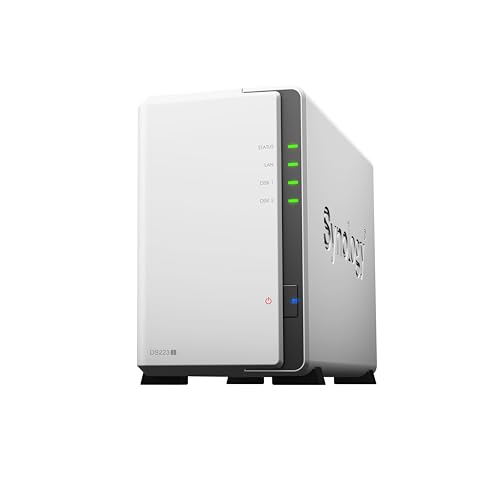
- Set-and-forget backups
- Easy file sharing and syncing
- 2-year warranty

- Expands to 140TB with DX525
- Multi-layered data protection
- Up to 30 IP cameras
| Product | Price | ||
|---|---|---|---|
 | Best Overall Synology DS225+ | $364.99Price as of Nov 3, 2026 2:02 pm EST ⓘ | Check Price |
 | Best Budget Synology DS223j | $209.99Price as of Nov 3, 2026 2:18 pm EST ⓘ | Check Price |
 | Premium Pick Synology DS725+ | $617.72 | Check Price |
 | Best for Power Users UGREEN DXP2800 | $389.99 | Check Price |
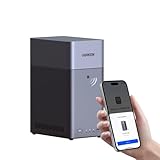 | Best for Beginners UGREEN DH2300 | $239.99 | Check Price |
1. Synology DS225+: Best Overall
Synology DS225+
A private media server and backup hub in one box
- Bays: 2 (diskless)
- CPU: Intel with hardware transcoding
- Transfer: Up to 282 MB/s
- Protection: RAID, backups, snapshots
- Cameras: Up to 30 IP cameras
Pros
- Hardware transcoding for 4K streaming
- Snapshots help recover from mistakes
- Backs up to cloud, external drives or another NAS
Cons
- Drives sold separately
- More than you need for simple backups
The DS225+ is the model we would point most households to. Synology pitches it as a private cloud media server, and the title notes an Intel CPU for hardware transcoding. That matters if you want to stream 4K movies, shows and photos to TVs and phones without paying for another subscription.
Protection is the other big draw. The listing combines RAID redundancy, automated backups and snapshot technology, and it can back up to cloud services, external drives or a remote NAS. Synology also lists transfer speeds up to 282 MB/s and support for up to 30 IP cameras with AI detection.
Skip it if all you want is a place to dump phone photos. The DS223j below handles basic backups for less. Like every pick here, the DS225+ is diskless, so budget for two hard drives on top of the enclosure.
2. Synology DS223j: Best Budget NAS
Synology DS223j
The simple way into Synology for backups and sharing
- Bays: 2 (diskless)
- Use: Private cloud, file sharing
- Backup: Macs, PCs and mobile devices
- Cameras: Multiple IP cameras
- Warranty: 2 years
Pros
- Low-cost entry to Synology software
- Backups to cloud and external drives
- Remote access from anywhere
Cons
- No hardware transcoding listed
- Not built for heavy apps or big media libraries
The DS223j is the budget way into Synology. The listing focuses on the basics: a private cloud with 100% data ownership, file sharing and syncing, and set-and-forget backups for Macs, PCs and mobile devices. You can send those backups to cloud services and external drives too.
It also supports multiple IP cameras for 24/7 recording and remote viewing, and Synology backs it with a 2-year warranty. For a household that wants to stop paying for cloud storage, that covers most needs.
What it does not promise is media muscle. The listing makes no claim about hardware transcoding, so heavy 4K streaming to several TVs is a job for the DS225+. If you plan to run lots of apps, step up.
3. Synology DS725+: Best Expandable NAS
Synology DS725+
Start with two drives and grow to 140TB
- Bays: 2 (diskless)
- Expansion: 5 more bays with DX525
- Max capacity: Up to 140TB
- Protection: RAID, backups, snapshots
- Cameras: Up to 30 IP cameras
Pros
- Room to grow without replacing the NAS
- Multi-site surveillance support
- Suits home offices and small businesses
Cons
- Expansion unit sold separately
- Premium tier for a 2-bay NAS
The DS725+ is for people who know their library will keep growing. You start with two drives, then add Synology’s DX525 expansion unit for five extra bays and up to 140TB in total. That is a lot of headroom for a box that fits on a shelf.
It shares the DS225+’s layered protection (RAID, automated backups and snapshots) and supports up to 30 IP cameras with motion detection and remote access. Synology also lists multi-site surveillance, which suits a home office or small shop.
The tradeoff is cost. It is the best NAS for home growth in this guide, but you pay more up front, and the expansion unit is a separate purchase. If two drives will cover you for years, the DS225+ is the better value.
4. UGREEN DXP2800: Best for Power Users

UGREEN DXP2800
Strong hardware for Docker, VMs and Plex
- Bays: 2 HDD + 2 M.2 NVMe (diskless)
- CPU: Intel N100 quad-core
- Memory: 8GB DDR5
- Network: 2.5GbE
- Extras: 4K HDMI, up to 80TB
Pros
- Runs Docker and virtual machines
- 2.5GbE for faster transfers
- AI photo and camera features
Cons
- Drives and SSDs not included
- More hardware than casual users need
UGREEN’s DXP2800 has the beefiest hardware on this list. The listing names an Intel N100 quad-core CPU, 8GB of DDR5 RAM, 2.5GbE networking, two M.2 NVMe slots and a 4K HDMI port. It runs Docker, virtual machines and Plex-compatible media servers.
It supports up to 80TB across its two hard drive bays and two M.2 slots. UGREEN also lists AI photo management (people, objects, scenes and locations) and AI camera features like face, people and pet detection. Apps cover Windows, macOS, Android, iOS, web browsers and some smart TVs.
Skip it if you have never used a NAS and just want backups. All that hardware is wasted on a basic private cloud. You will also want a 2.5GbE switch or router port to see the network speed benefit.
5. UGREEN DH2300: Best for Beginners

UGREEN DH2300
An easy first NAS for photos and phone backups
- Bays: 2 (diskless)
- Memory: 4GB onboard
- Network: 1GbE
- Transfer: Up to 125MB/s
- Max capacity: Up to 64TB
Pros
- Built for people new to NAS
- AI tagging and duplicate photo cleanup
- Backs up across Windows, iOS, Android and macOS
Cons
- No Docker or virtual machine support
- 1GbE is slower than 2.5GbE models
The DH2300 is UGREEN’s entry-level model, and the listing is upfront about who it is for: beginners moving from cloud storage or external drives. It supports up to 64TB, has 4GB of onboard RAM and a 1GbE port, and lists file transfers up to 125MB/s.
Photo features are the highlight. UGREEN says its AI tags faces, locations, text and objects, finds and deletes similar or duplicate photos, and backs up Live Photos. That makes it a friendly replacement for a phone’s paid cloud plan.
UGREEN also notes it does not support Docker or virtual machines. If there is any chance you will want to run extra apps later, the DXP2800 or a Synology Plus model is a safer long-term buy.

How to Choose the Best Home NAS
Picking the best NAS for home use is mostly about honest expectations. Answer these questions and the right model usually becomes obvious.
What will you actually use it for?
Backups and file sharing need very little power. Streaming 4K video to several screens, running Docker or recording many cameras needs more. Be realistic, because paying for hardware you never use is the most common NAS regret.
How many bays do you need?
A 2-bay NAS is the sweet spot for most homes. Two drives let you mirror data, so one drive can fail without losing files. If you expect huge growth, the DS725+ can expand later instead of forcing a full replacement.
Budget for drives
Every pick in this guide is diskless. That means the enclosure price is only part of the cost. Buy two matching drives sized for your library plus a few years of growth.
Check your network
A 2.5GbE NAS like the DXP2800 only shines if your router or switch has a 2.5GbE port. Otherwise it runs at 1GbE speeds like the DH2300. For a wider home network refresh, our guide to the best mesh Wi-Fi systems can help.
Decide if you want camera recording
Every model here lists IP camera support, which lets you store footage locally instead of paying a monthly fee. If that appeals to you, pair your NAS with one of the best security cameras without a subscription.
Pick the software you like
Synology’s software is mature and widely documented on the Synology website. UGREEN listings tend to pack more hardware into each tier. Both offer phone apps for photo backup and remote access to your private cloud.

NAS vs Cloud Storage vs External Drives
A NAS is not the only way to store family files. Here is how it compares with the two common alternatives.
| Option | Upfront cost | Ongoing cost | Best for |
|---|---|---|---|
| Home NAS | Enclosure plus drives | Power and future drives | Large libraries, many users, local camera footage |
| Cloud storage | None | Monthly or yearly fee | Small libraries and off-site copies |
| External drive | Low | None | One person, one computer, simple backups |
Many people end up using two of these. A private cloud on a NAS holds the everyday copy, and a cloud service or external drive holds an off-site backup. Our guide to the best portable SSDs covers fast external options.
Setup Tips for Your First NAS
- Use wired Ethernet. Connect the NAS to your router with a cable, never over Wi-Fi.
- Mirror your drives. In a 2-bay NAS, a mirrored setup protects you from a single drive failure.
- Remember RAID is not a backup. Turn on snapshots and keep a second copy off the NAS.
- Create separate user accounts. Each family member gets private space and shared folders stay tidy.
- Keep software updated. Install updates for security, especially if you enable remote access.
Which Tier of the Best NAS for Home Fits You?
Starter tier. The DS223j and DH2300 are built for backups, photo storage and sharing. If your family mostly wants to stop deleting phone photos, start here and spend the savings on bigger drives.
Media tier. The DS225+ adds hardware transcoding, snapshots and support for up to 30 cameras. For a household that streams its own movie library, this is the best NAS for home theater duty without stepping into enthusiast hardware.
Enthusiast tier. The DXP2800 and DS725+ suit people who run containers, edit large video files or plan to scale well past two drives. These are the best NAS for home labs and home offices, but they are more box than a casual user needs.
A good rule: buy one tier above what you need today, not two. Storage needs grow, but most families never touch Docker or virtual machines.

Choosing Hard Drives for Your NAS
Since every pick here is diskless, the drives you add matter as much as the box. A few rules keep a 2-bay NAS reliable.
Buy NAS-rated drives
Drives sold for NAS use are built to run around the clock and to work in RAID arrays. Desktop drives can work, but they are not designed for that duty, and some use a recording method (SMR) that can make rebuilding a mirror painfully slow.
Match the capacities
In a mirrored 2-bay NAS, usable space equals one drive, not both. Pair two drives of the same size. If you mix sizes, the extra space on the larger drive goes unused in a simple mirror.
Check the compatibility list
NAS makers such as Synology publish drive compatibility lists for each model. Check the current list for your exact NAS before you order, since support policies can change between models and software versions.
Add a small UPS
A power cut in the middle of a write is one of the few things that can damage a volume. Most NAS software can shut down safely when connected to an uninterruptible power supply over USB, which protects your private cloud for a modest extra cost.
Frequently Asked Questions
What is the best NAS for home users on a budget?
For most budget buyers, the best NAS for home backups is the Synology DS223j. It covers file sharing, automated backups and camera recording. The UGREEN DH2300 is the alternative if photo features matter most to you.
Do NAS devices come with hard drives?
Not the ones in this guide. Each is sold diskless, so you buy drives separately. The upside is that you choose the capacity and can upgrade later.
Can a NAS replace Google Photos or iCloud?
For many families, yes. UGREEN and Synology both offer phone backup and private cloud access from anywhere. Keep an off-site copy too, since a NAS at home can still be lost to fire or theft.
Is 2.5GbE worth it on a home NAS?
It is if you move large video files and your network supports it. For phone backups and documents, a 1GbE 2-bay NAS is usually fast enough.
Can I stream movies from a NAS to my TV?
Yes. The DS225+ lists hardware transcoding for smoother streaming, and the DXP2800 supports Plex-compatible media servers. Your TV or streaming stick needs a compatible app, and our best streaming devices guide can help there.
The bottom line
The Synology DS225+ is the best NAS for home use for most households. It streams, backs up and records cameras, and its RAID plus snapshot protection keeps family files safe. Choose the DS223j for simple backups, the DS725+ if you need room to grow, or the UGREEN DXP2800 if you want Docker and fast networking.
Check Synology DS225+ price

